Connect WHOOP, Apple Health & Your Health Data to Claude
Use the hosted VitalTrends MCP connector to let Claude read your WHOOP, Apple Health, Oura, Withings and Hevy data. Nothing to install and no config files to edit: add one custom connector in Claude and sign in with your VitalTrends API key.
claude_desktop_config.json. Please don't do that anymore; use the hosted connector below.
Prerequisites
- An active VitalTrends subscription
- At least one data source (WHOOP, Apple Health, Oura, Withings, Hevy...) connected and synced in Settings → Connections
- A Claude account. Anthropic says custom connectors are available on Free, Pro, Max, Ultra, Team and Enterprise plans, and that Free users are limited to one custom connector (checked 21 November 2026). Menus may vary slightly between plans and versions.
Setup
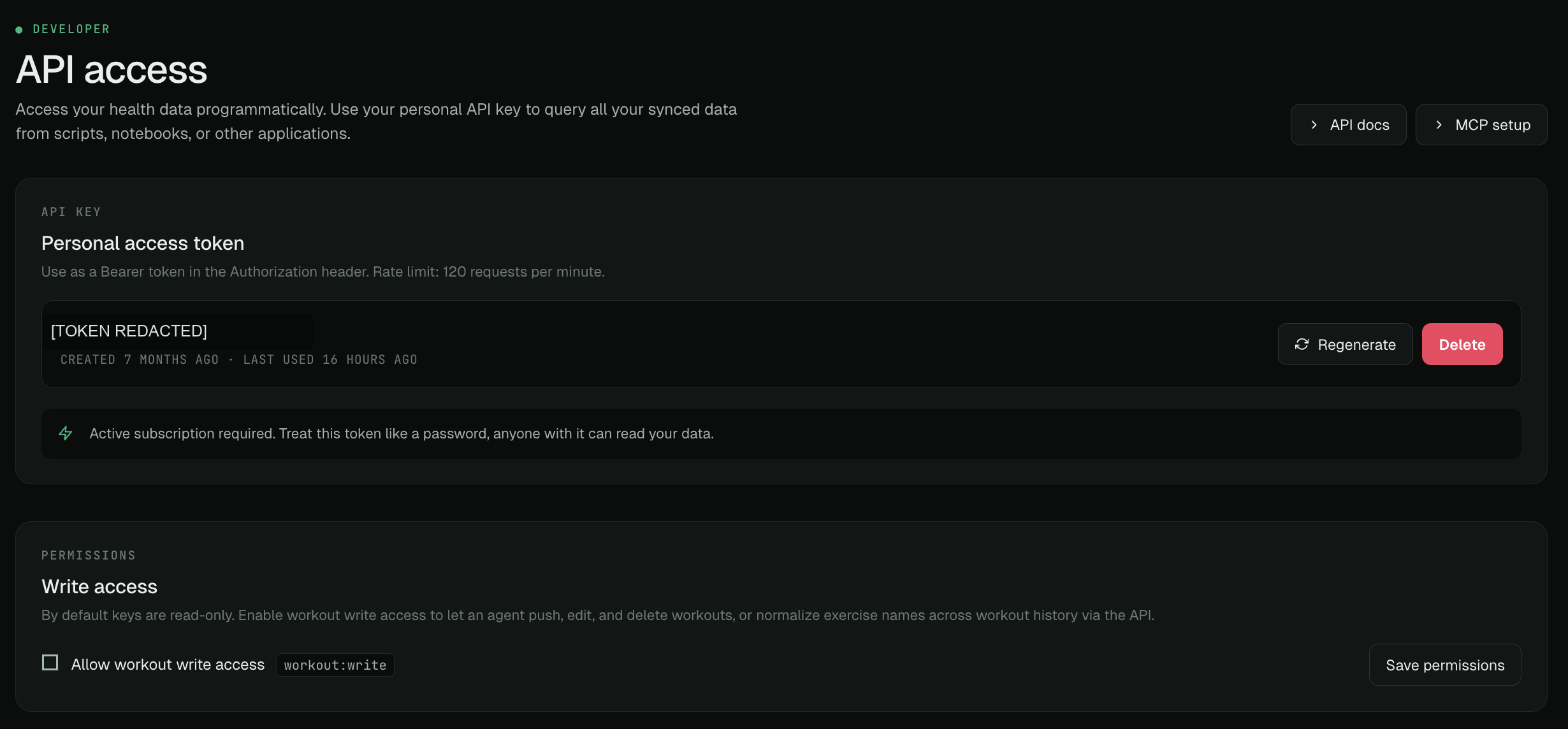
Sign in to VitalTrends, open Settings → Developer and find API access. Create or copy your personal API key and keep it private; anyone with the key can read your data. Leave Allow workout write access off for read-only use. Enable it to grant workout:write when you want the AI to create, edit, import, or delete workouts and manage exercise names.
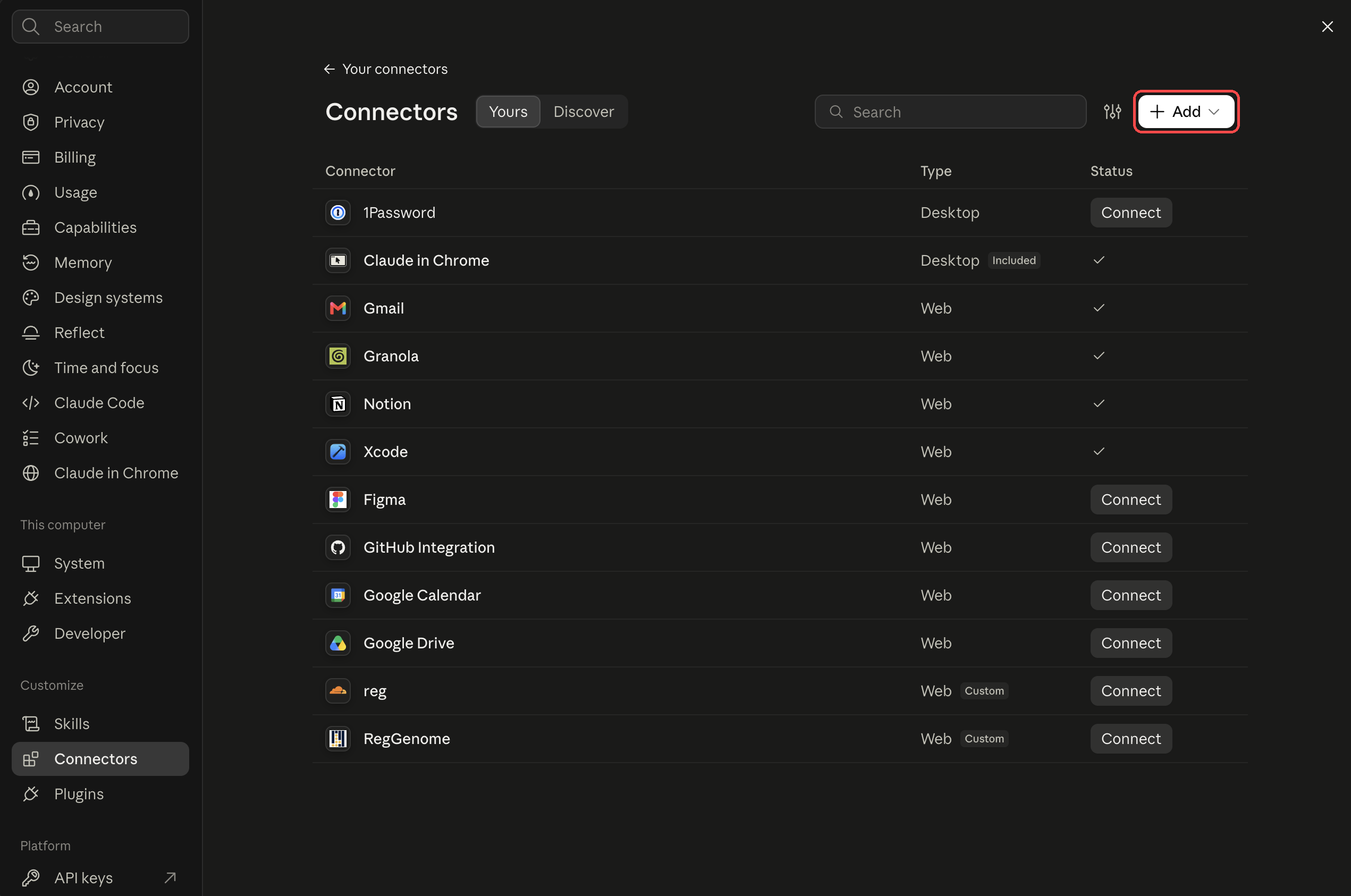
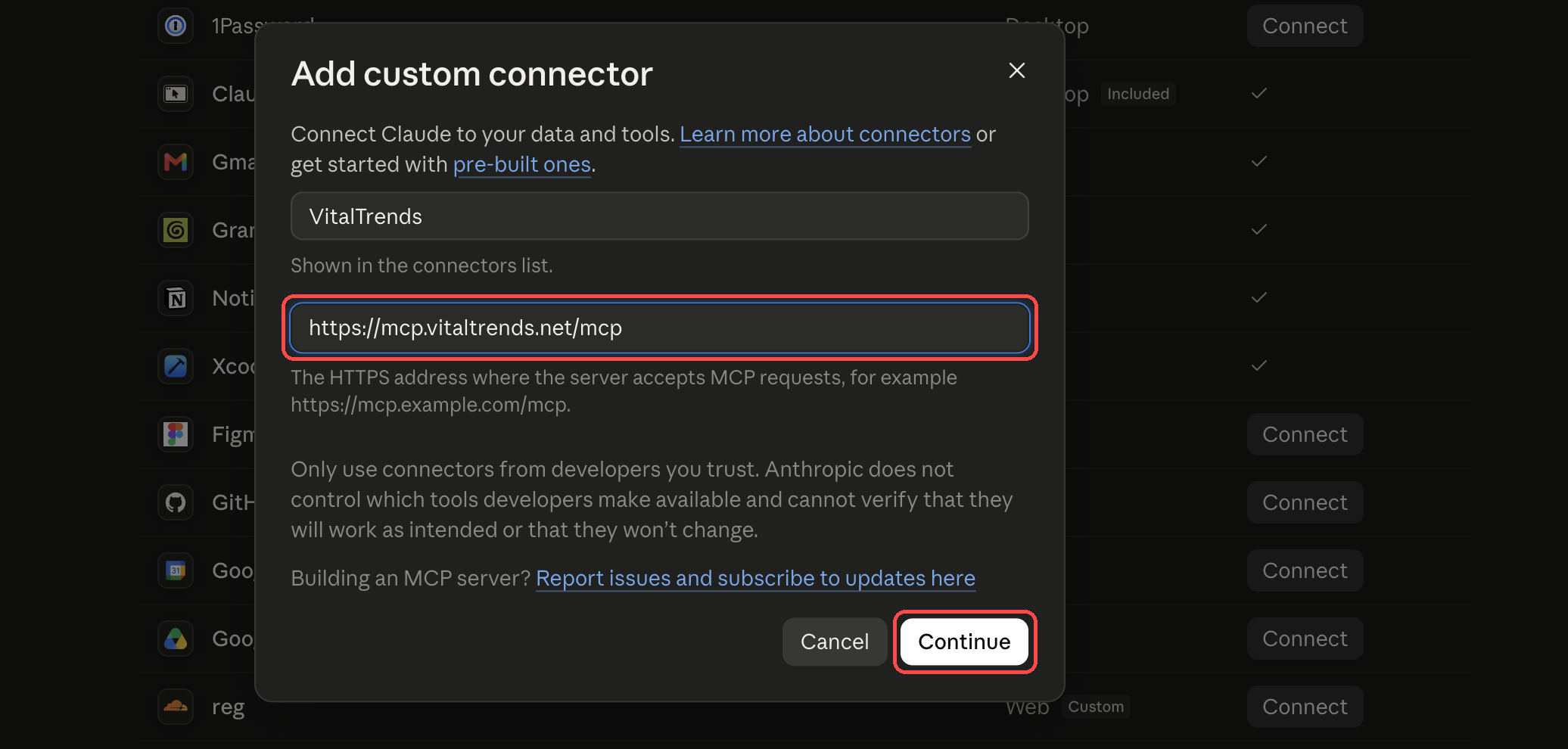
In Claude, open Settings → Connectors and choose Add (or Add custom connector). Enter VitalTrends as the name and https://mcp.vitaltrends.net/mcp as the server URL, then continue.
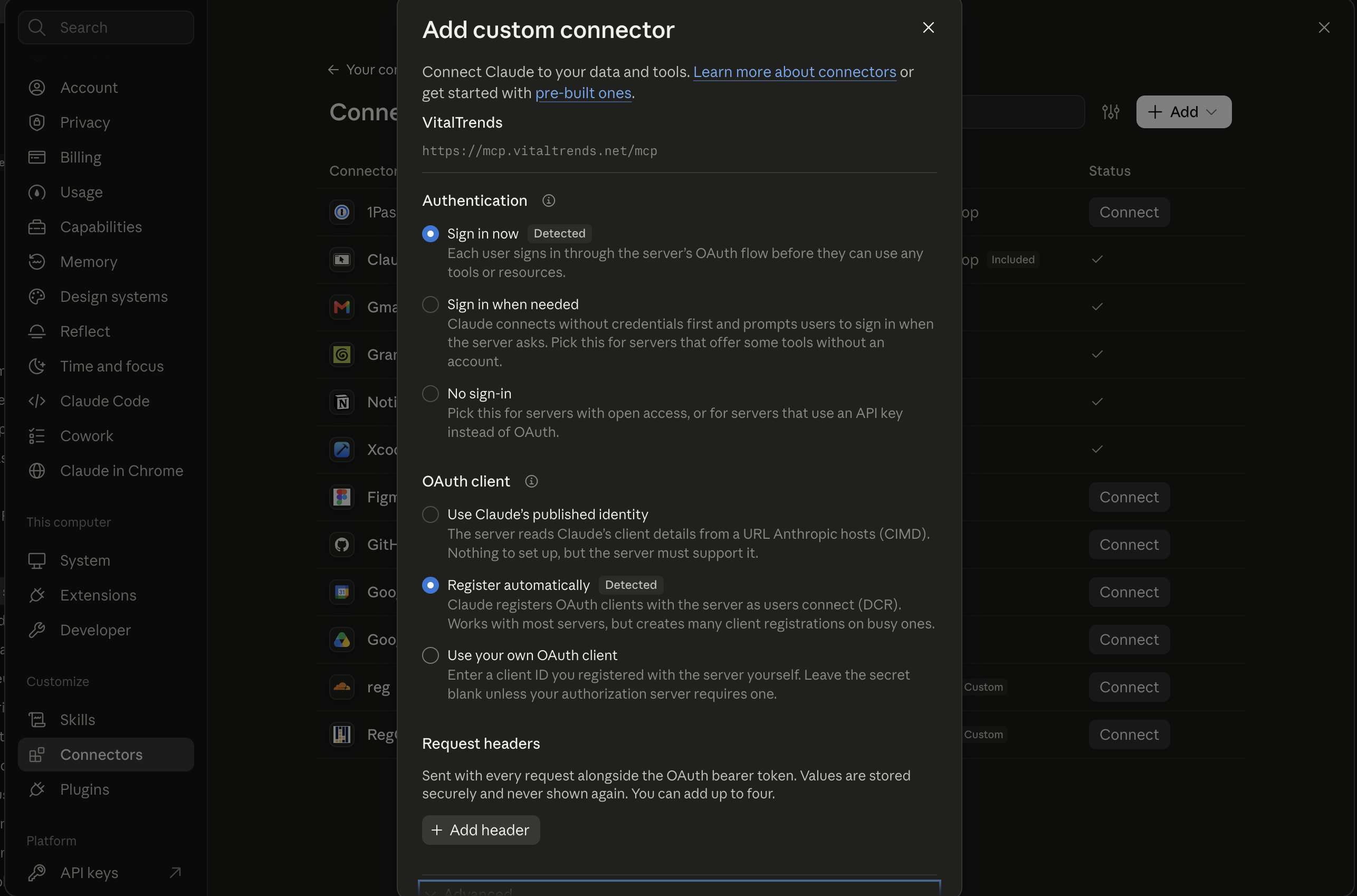
Claude then shows the detected authentication settings (Sign in now and Register automatically). Keep the detected defaults and add the connector. Don't enter a made-up OAuth client or header.
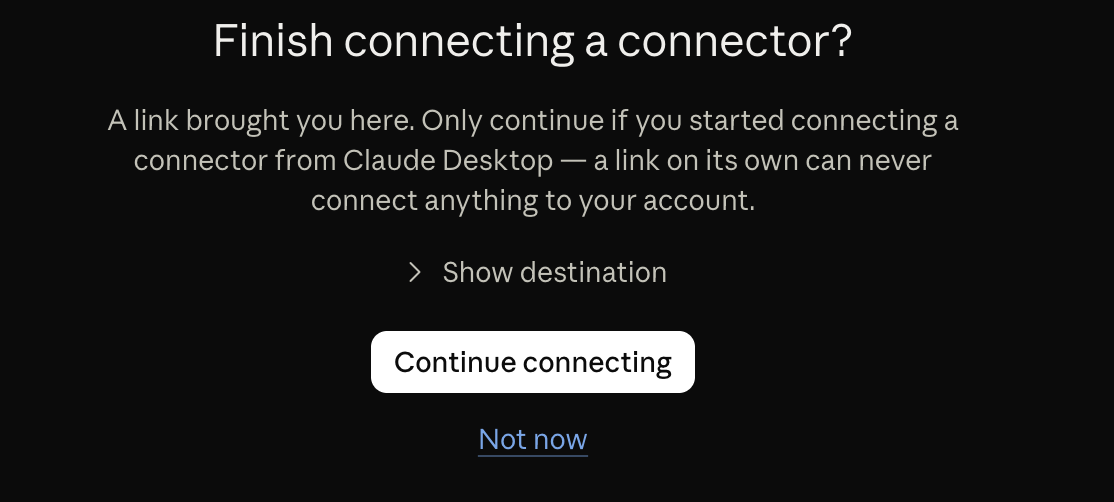
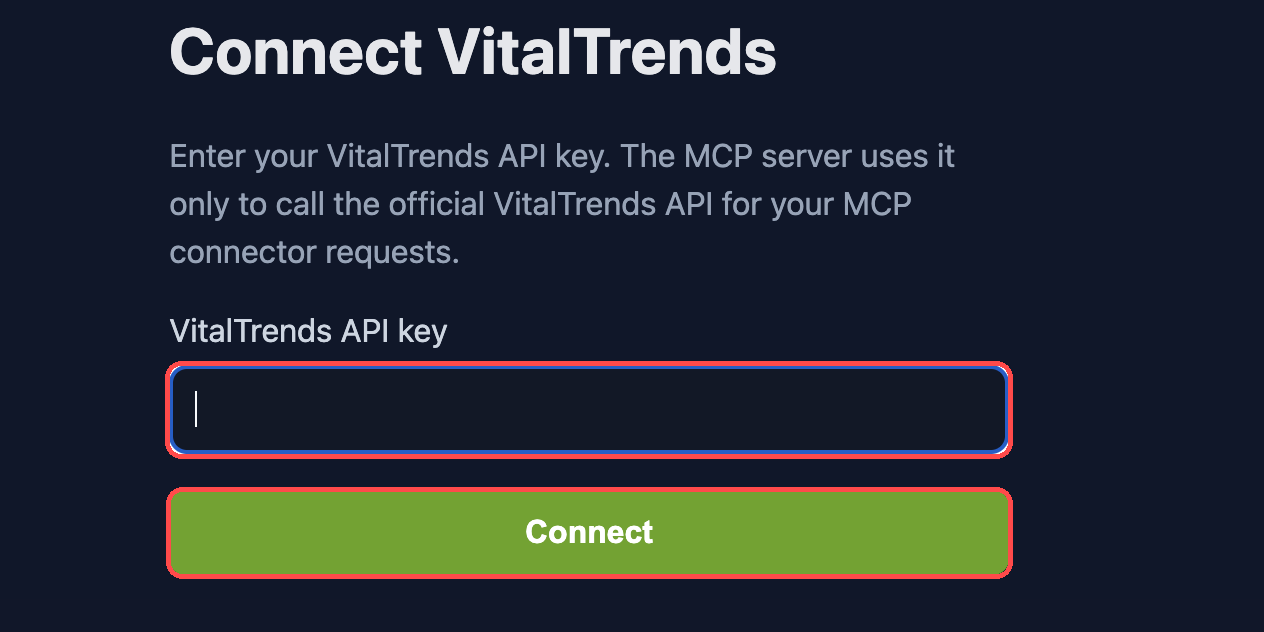
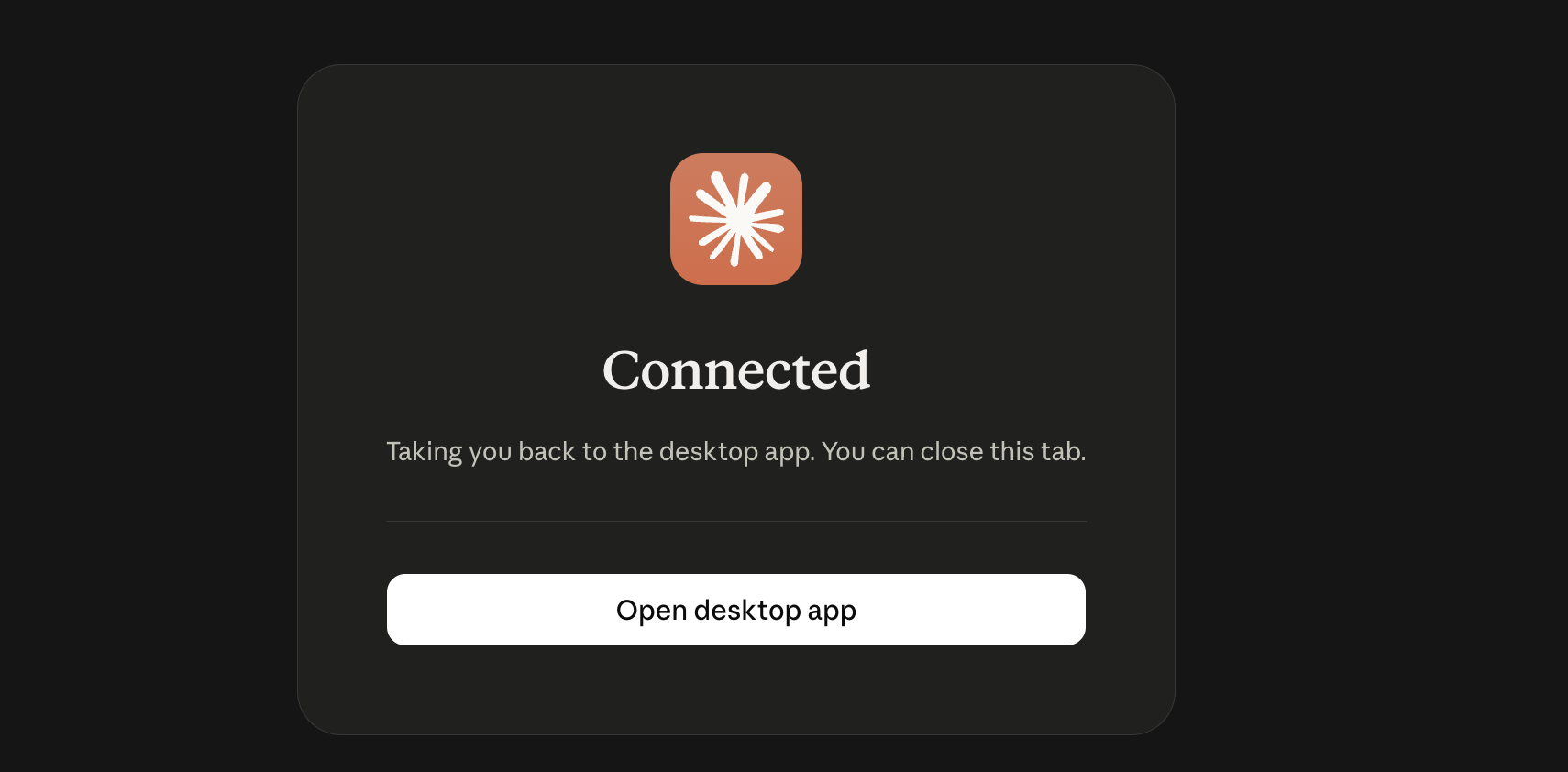
If Claude asks you to confirm, select Continue connecting. On the VitalTrends Connect VitalTrends page, paste your API key. Leave Allow changes to my Training Log unticked for read-only access, or tick it if you want Claude to create and edit workouts. Then select Connect. When you see the success page, return to Claude.
Start a new Claude conversation, open Search and tools and make sure VitalTrends is enabled. Then try one of the questions below.
Web, desktop and mobile
You only add the connector once. It belongs to your Claude account, so Claude on the web, the Claude desktop app and the Claude mobile apps all use the same VitalTrends connection when you're signed in with that account. Add it on claude.ai, then enable it in a conversation on any of them.
Team and Enterprise
On Team and Enterprise plans, Anthropic's help center says an owner adds custom connectors in Organization settings → Connectors, and members then select Connect on it in their own Connectors settings. Each member then signs in on the VitalTrends consent page with their own API key. Don't add a VitalTrends API key as a request header at the organization level: every member would share that one key and see the same person's data. Not yet tested by VitalTrends.
Claude Code
If you've added the connector on claude.ai, you don't need to set anything up in Claude Code. Sign in to Claude Code with the same claude.ai account and VitalTrends is listed in the claude.ai section of /mcp. We verified a VitalTrends tool call from Claude Code this way on 21 November 2026.
Claude Code only loads claude.ai connectors when you're signed in with a claude.ai subscription. If VitalTrends is missing, run /status: an ANTHROPIC_API_KEY environment variable, an API key helper or a third-party provider such as Amazon Bedrock stops the connectors from loading. Run /login and choose your claude.ai account.
Add VitalTrends to Claude Code directly
Add the server, then run /mcp inside Claude Code, select vitaltrends and sign in. Your browser opens the same Connect VitalTrends consent page, where you paste your API key.
claude mcp add --transport http vitaltrends https://mcp.vitaltrends.net/mcpAdd --scope user to make it available in every project rather than only the current one. To skip the sign-in page, send your API key as a header instead:
claude mcp add --transport http vitaltrends https://mcp.vitaltrends.net/mcp \
  --header "Authorization: Bearer $VITALTRENDS_API_KEY"
Your shell fills in the key when you run the command, and Claude Code stores it in your local configuration. Don't use --scope project with a header: that writes the key to .mcp.json, which is meant to be committed. A server added this way takes precedence over the claude.ai connector with the same URL, so /mcp shows the connector as hidden. Remove one of them with claude mcp remove vitaltrends or in claude.ai if you only want one.
First prompts to try
- "Summarize my sleep and recovery trends over the last 7 days."
- "Compare my average HRV this week with the previous week."
- "What does my WHOOP recovery look like after my hardest workouts?"
- "How has my Apple Health resting heart rate changed this year?"
- "List my workouts from the last 30 days."
Also try "What is my weight trend over the last 3 months?" or browse the prompt library. Claude's answers are summaries of your data, not medical advice.
For everything Claude can read and change, see the full tool reference.
Automate with Claude
Claude has two ways to run a prompt on a schedule:
- Scheduled tasks in Claude (Cowork and the new Claude experience): select Scheduled in the left sidebar, then New task. Choose hourly, daily, weekdays, weekly or manual. Anthropic says tasks run remotely, so they run even when your computer is asleep, and they can use the connectors you've set up. Available on paid plans (Pro, Max, Ultra, Team and Enterprise). Each run is its own session you can review afterwards.
- Claude Code cloud scheduled tasks (formerly routines, in research preview): create them at claude.ai/code/routines or with
/schedulein Claude Code. They're built for coding work in a GitHub repository. All of your claude.ai connectors are included by default and the run can use them, including writes. Remove the connectors a task doesn't need.
A daily readiness brief, scheduled Daily at a time after your wearable usually syncs (for example 07:30):
Use VitalTrends to write my morning readiness brief.

1. Get my WHOOP daily data for the last 14 days. If I don't use WHOOP,
   use my Oura daily readiness and daily sleep for the last 14 days.
2. Get my workouts from the last 7 days.
3. Report, in under 150 words:
   - last night's sleep duration and sleep performance or score
   - today's recovery or readiness
   - HRV and resting heart rate compared with my 14-day average
   - yesterday's training
4. If today's data hasn't synced yet, say so instead of guessing.

Only read data. Don't create, change or delete anything.
Don't diagnose or give medical advice.
Run it once manually and check that it called VitalTrends. If a connector tool is set to always ask, Anthropic says a scheduled task may wait for your answer or finish without the tool. Data Claude reads is handled under Anthropic's privacy policy; see AI access and your data. For other scheduling options, see Automations.
Troubleshooting
The API-key page says the key is invalid
Check that you copied the complete key without spaces. Regenerate it in Settings → Developer if needed.
Claude cannot find any data
Confirm a source is connected and synced in Settings → Connections, and that the API key belongs to the same account.
A new sync is missing from an existing chat
Start a new Claude conversation. Claude can cache tool results within a chat.
The connector does not appear or connect
Confirm your Claude plan supports remote custom connectors. On the Free plan, check that you haven't already used your one custom connector. Remove any incomplete duplicate connector, and add the URL again. On Team or Enterprise, an organization owner may need to enable it first.
Claude shows different menu labels
Open Settings → Connectors and use the current Add or Add custom connector action. Anthropic's help center currently describes the path as Customize → Connectors → + Add → Add custom connector. Labels may change between versions.
VitalTrends is missing in Claude Code
Run /status and check that you're signed in with the claude.ai account that has the connector. If you also added VitalTrends with claude mcp add, Claude Code uses that entry and hides the claude.ai connector. If /mcp shows session token rejected, run /login and reconnect.
Claude says the connection is read-only
Remove the connector, add it again and tick Allow changes to my Training Log. The API key also needs Allow workout write access. Ask Claude to preview any workout change before it saves.
Slow responses
Narrow the date range in your prompt (e.g. "last 30 days" instead of "all time").
General connector problems (invalid key, missing data, read-only connection) are covered on the MCP Server page.
More: Anthropic: custom connectors using remote MCP, Claude Code MCP, scheduled tasks in Cowork, Claude Code scheduled tasks.
FAQ
Can I use VitalTrends with the Claude Free plan?
Anthropic's help center says Free users can add one custom connector (checked 21 November 2026). VitalTrends can be that connector. Scheduled tasks need a paid Claude plan.
Do I need to add the connector again on Claude Desktop, mobile or in Claude Code?
No. Once you add it on claude.ai, it belongs to your Claude account. Sign in to the Claude desktop app, the mobile app or Claude Code with the same account and VitalTrends is there.
Does Claude see my VitalTrends API key?
Not with the connector. You paste the key on the VitalTrends consent page and Claude only receives a token tied to it. If you add VitalTrends to Claude Code with an Authorization header instead, the key is stored in your local Claude Code configuration.
Can Claude change my workouts?
Only if you tick "Allow changes to my Training Log" when you connect and your API key has workout write access. Otherwise the connection is read-only. Claude can never change your WHOOP, Oura, Withings, Apple Health or Hevy data.
Can Claude read my lab results or weekly recaps?
No. Lab reports, weekly recaps and account settings stay in the VitalTrends website. The connector covers synced wearable, Apple Health, glucose and training data.
How do I disconnect Claude?
Remove VitalTrends from Claude's Connectors settings. To cut off access everywhere at once, delete or regenerate your API key in VitalTrends Settings, Developer. Every AI connection made with that key stops working immediately.
Is Claude giving me medical advice?
No. Claude summarizes the data VitalTrends sends it. Neither Claude nor VitalTrends gives medical advice. Talk to a clinician about health decisions.