Connect WHOOP, Apple Health & Your Health Data to Claude
Use the hosted VitalTrends MCP connector to let Claude read your WHOOP, Apple Health, Oura, Withings and Hevy data. Nothing to install and no config files to edit: add one custom connector in Claude and sign in with your VitalTrends API key.
claude_desktop_config.json. Please don't do that anymore; use the hosted connector below.
Supported AI clients
- Claude (Pro, Max, Team or Enterprise): available now, guide below
- Codex MCP Coming soon
- Grok MCP Coming soon
Prerequisites
- An active VitalTrends subscription
- At least one data source (WHOOP, Apple Health, Oura, Withings, Hevy...) connected and synced in Settings → Connections
- A Claude Pro, Max, Team or Enterprise plan. Custom remote MCP connectors are a beta feature in Claude, so menus may vary slightly.
The hosted server URL is https://mcp.vitaltrends.net/mcp.
Setup: Claude
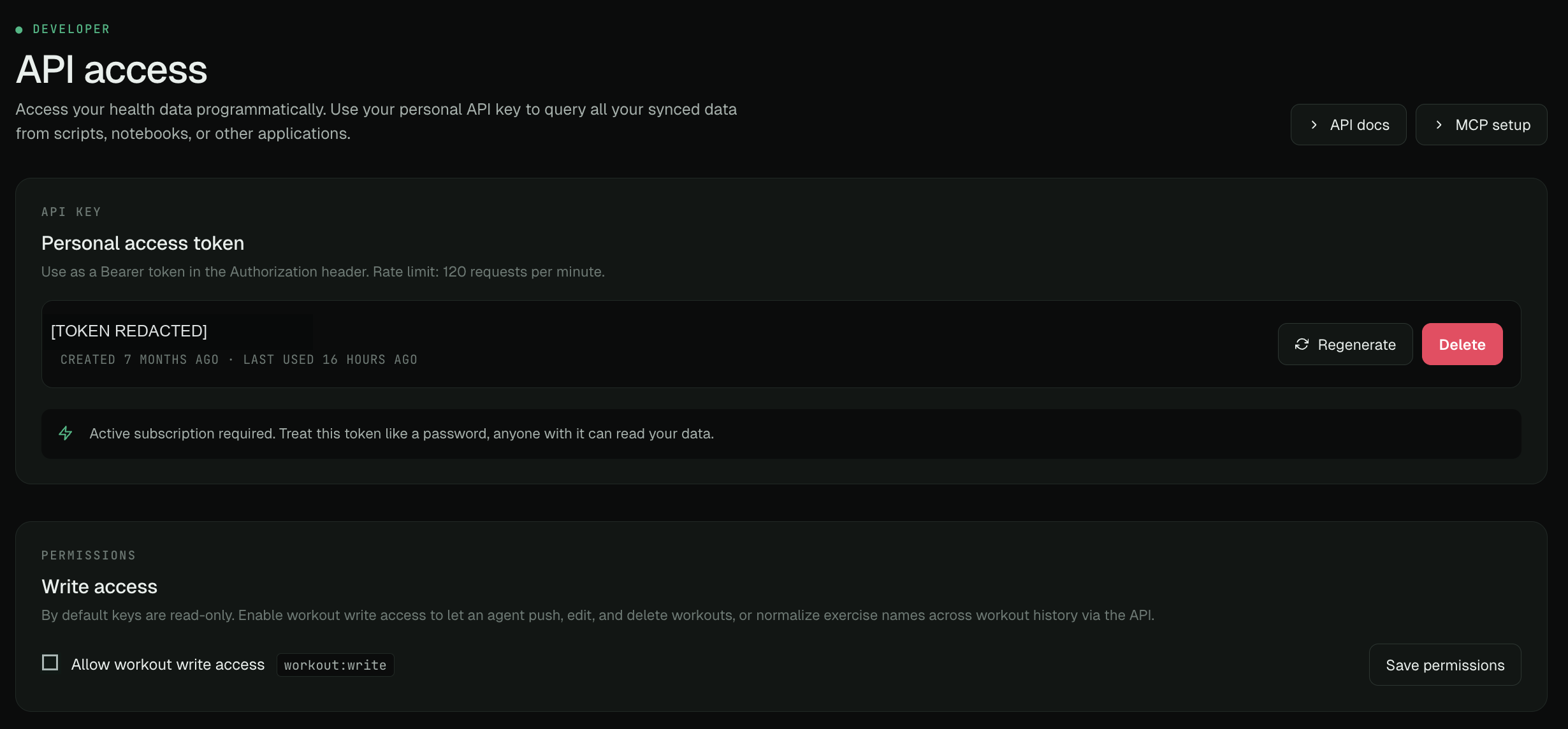
Sign in to VitalTrends, open Settings → Developer and find API access. Create or copy your personal API key and keep it private; anyone with the key can read your data. Leave Allow workout write access off for read-only use. Enable it to grant workout:write when you want the AI to create, edit, import, or delete workouts and manage exercise names.
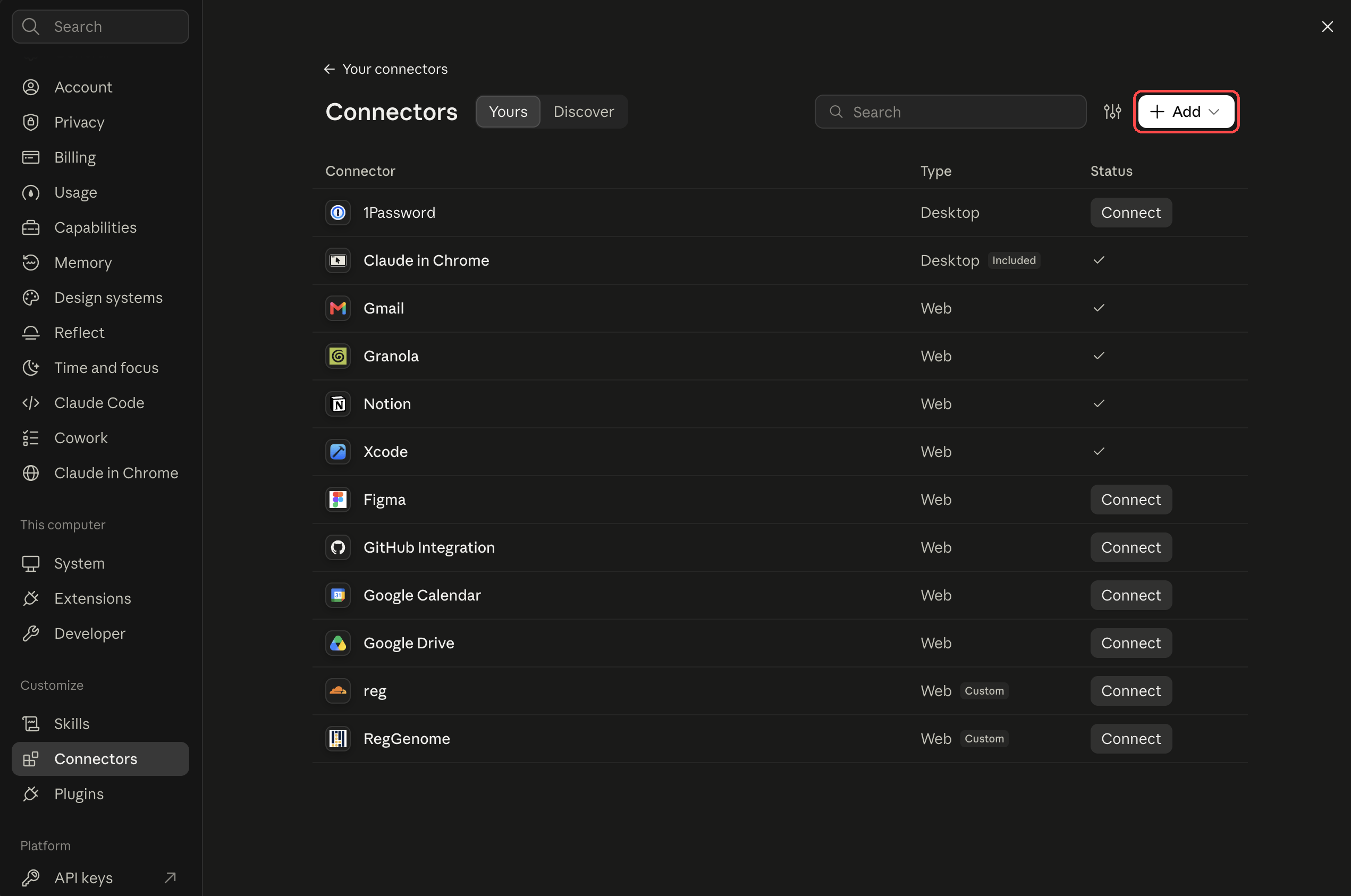
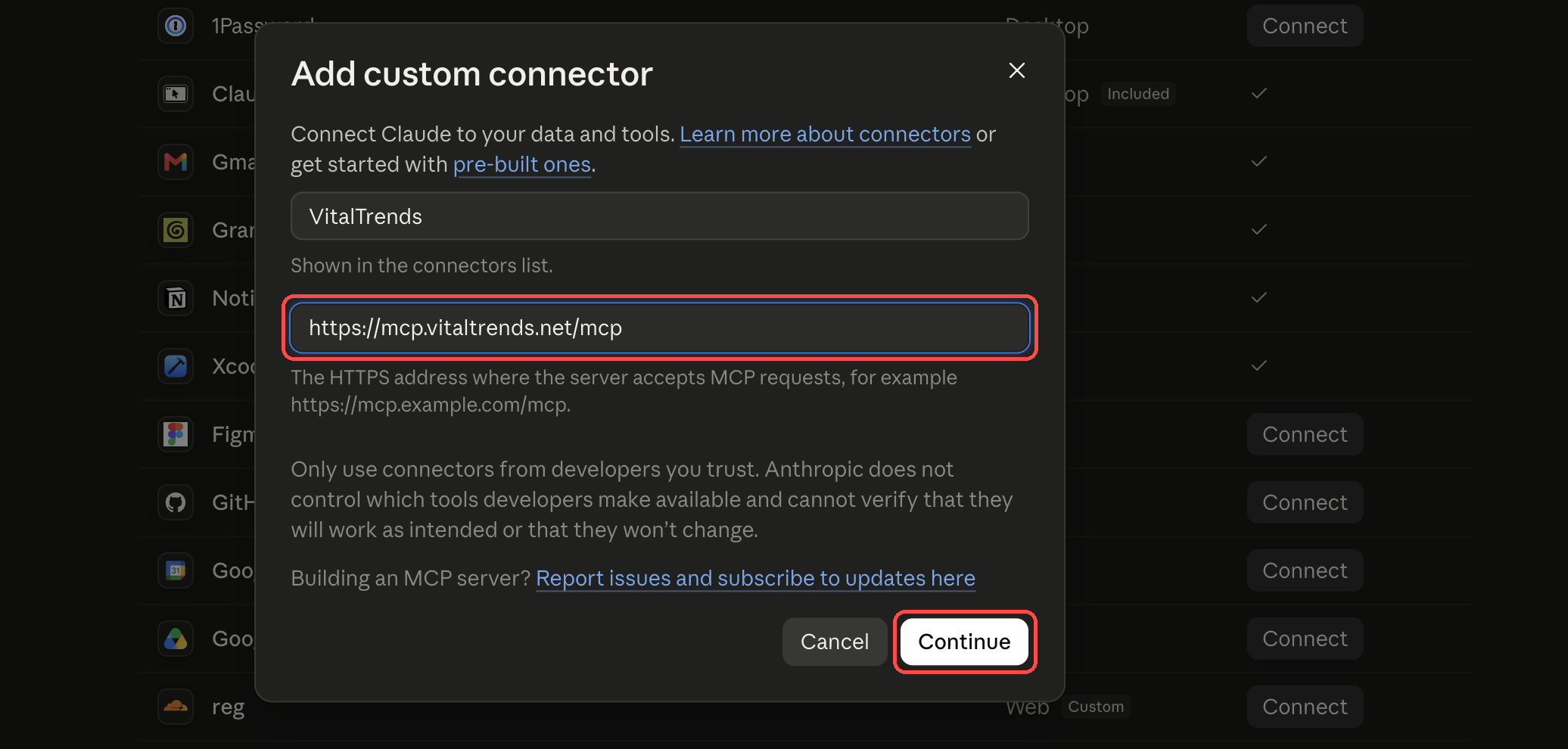
In Claude, open Settings → Connectors and choose Add (or Add custom connector). Enter VitalTrends as the name and https://mcp.vitaltrends.net/mcp as the server URL, then continue.
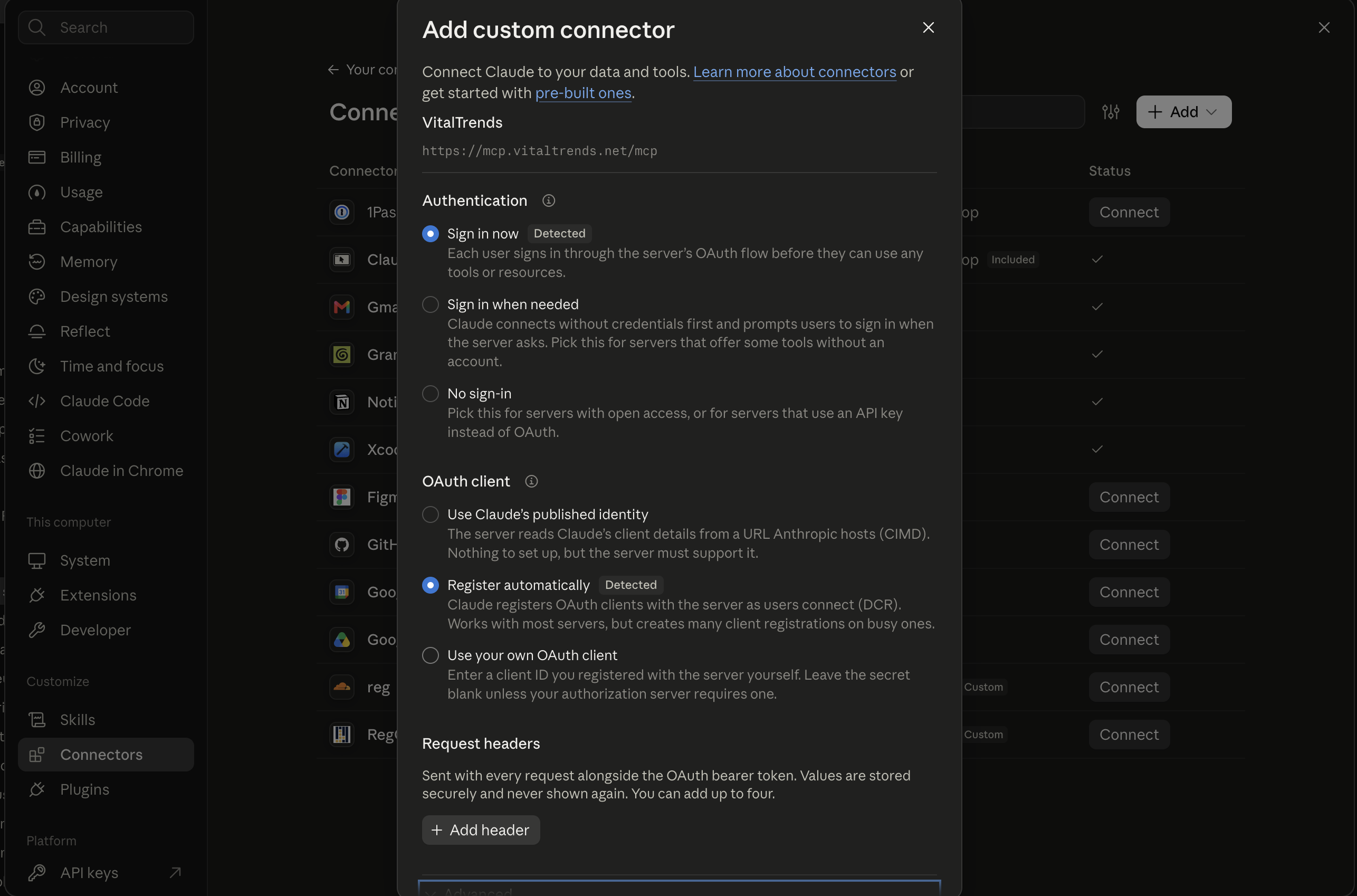
Claude then shows the detected authentication settings (Sign in now and Register automatically). Keep the detected defaults and add the connector. Don't enter a made-up OAuth client or header.
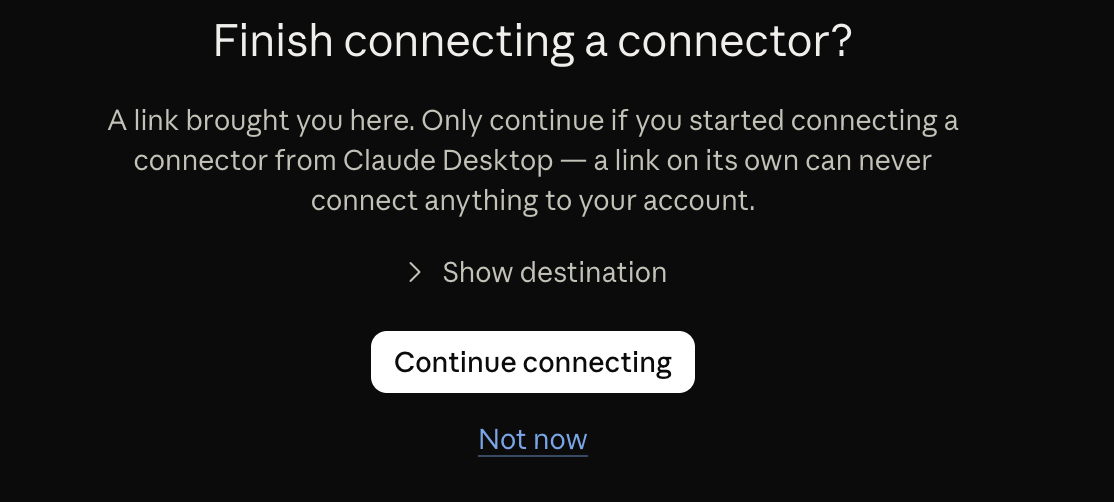
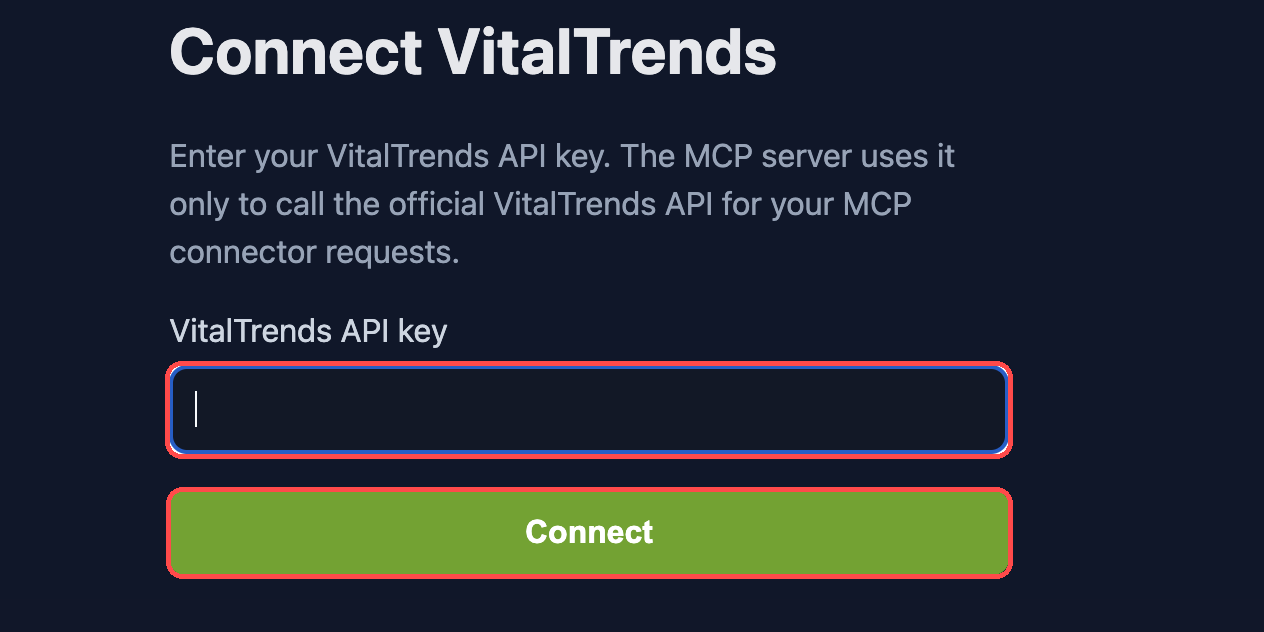
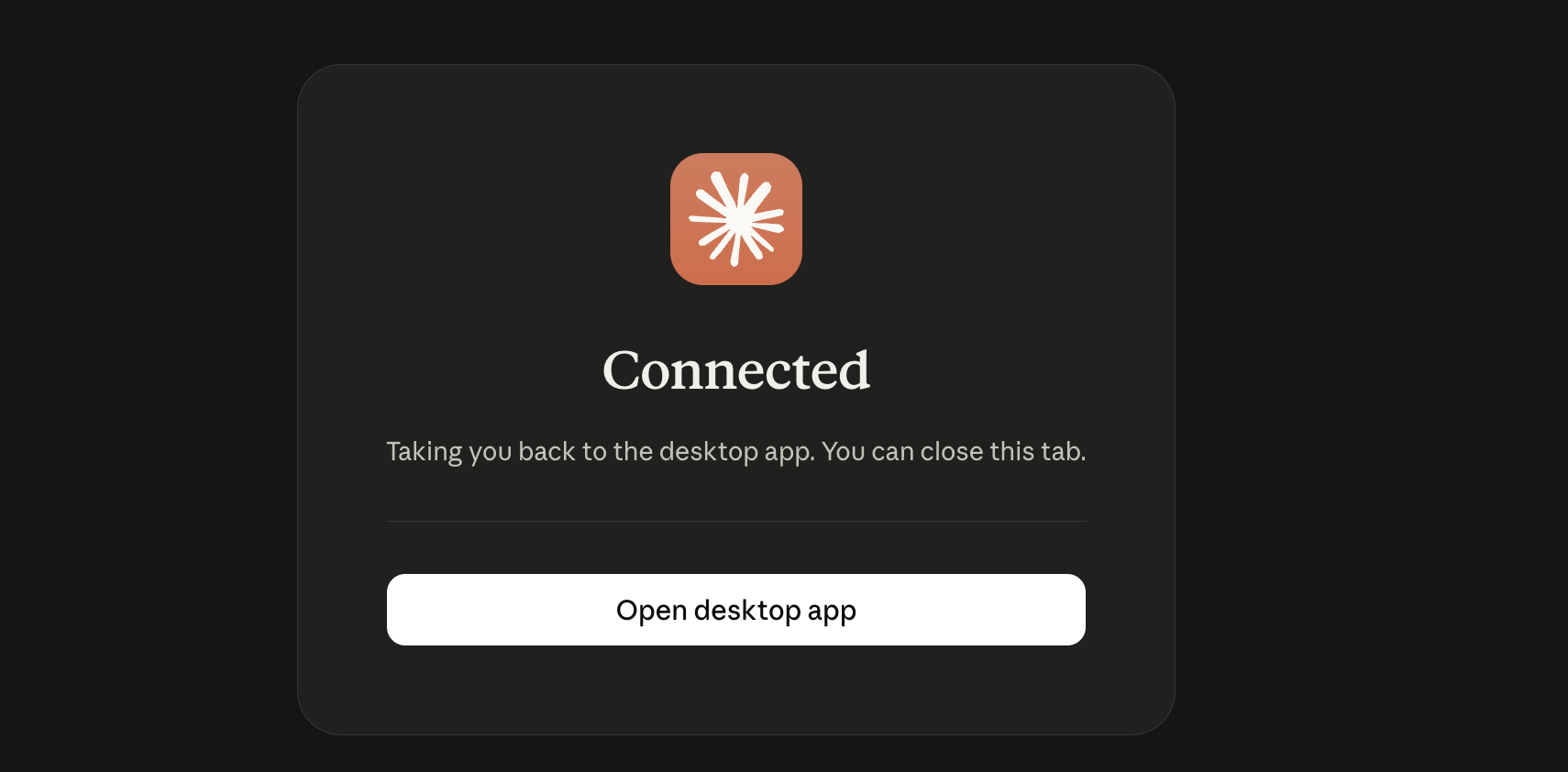
If Claude asks you to confirm, select Continue connecting. On the VitalTrends Connect VitalTrends page, paste your API key and select Connect. When you see the success page, return to Claude.
Start a new Claude conversation, open Search and tools and make sure VitalTrends is enabled. Then try one of the questions below.
Example questions
- "Summarize my sleep and recovery trends over the last 7 days."
- "Compare my average HRV this week with the previous week."
- "What does my WHOOP recovery look like after my hardest workouts?"
- "How has my Apple Health resting heart rate changed this year?"
- "List my workouts from the last 30 days."
- "What is my weight trend over the last 3 months?"
Available tools
| Category | Tool | API route | Description |
|---|---|---|---|
| WHOOP | get_whoop_daily |
/whoop/daily |
Recovery score, HRV, resting heart rate, sleep performance, sleep duration, and strain, one row per day |
| WHOOP | get_whoop_recovery_status |
/whoop/recovery-status |
Advisory recovery freshness, sync, and upstream update timestamps |
| WHOOP | get_whoop_workouts |
/whoop/workouts |
Workout history with sport name, duration, strain, average and max heart rate, and distance |
| WHOOP | get_whoop_sleep |
/whoop/sleep |
Sleep sessions with stages, score, duration, and performance metrics |
| Workouts | get_unified_workouts |
/workouts/unified |
Cross-source workout feed deduplicated into sessions, with session_id, canonical provider fields, source_records, field_sources, and optional include=heart_rate_series overlays |
| Workouts | get_hevy_workouts |
/workouts/hevy |
Hevy workout records with nested exercises and sets |
| Oura | get_oura_daily_sleep |
/oura/daily-sleep |
Daily sleep scores and sleep score contributors |
| Oura | get_oura_sleep |
/oura/sleep |
Sleep sessions with stages, duration, HRV, heart rate, and respiratory rate |
| Oura | get_oura_daily_readiness |
/oura/daily-readiness |
Daily readiness scores, temperature deviation, and readiness contributors |
| Oura | get_oura_daily_activity |
/oura/daily-activity |
Activity scores, calories, steps, distance, active minutes, and activity contributors |
| Oura | get_oura_workouts |
/oura/workouts |
Workout sessions with activity, intensity, source, calories, distance, and timestamps |
| Oura | get_oura_daily_spo2 |
/oura/daily-spo2 |
Daily SpO2 averages and breathing disturbance index |
| Oura | get_oura_daily_stress |
/oura/daily-stress |
Daily stress, recovery, and Oura day summary |
| Oura | get_oura_daily_resilience |
/oura/daily-resilience |
Daily resilience level and resilience contributors |
| Oura | get_oura_vo2_max |
/oura/vo2-max |
VO2 max estimates by day |
| Withings | get_withings_measurements |
/withings/measurements |
Weight and body composition: weight, body fat, muscle mass, and bone mass readings |
| Apple Health | get_apple_health_daily_summary |
/apple-health/daily-summary |
Everything for a single day in one call: activity, heart and vitals including wrist temperature, sleep stages, body, and workouts |
| Apple Health | get_apple_health_daily |
/apple-health/daily |
Daily Apple Health aggregates: steps, active and basal energy (kcal), distance (km), heart rate, HRV, resting heart rate, SpO2, wrist temperature, and sleep duration |
| Apple Health | get_apple_health_samples |
/apple-health?type=<type> |
Per-type Apple Health time series, including type=sleeping_wrist_temp for wrist temperature, with optional metadata for sleep stages and workout details |
| Summary | get_summary |
/summary |
Cross-source aggregate: avg/min/max recovery, HRV, resting heart rate, sleep performance, avg strain, workout count, current weight, and body composition |
| WHOOP | get_whoop_cycles | GET /cycles | WHOOP cycles, strain, and timing |
| WHOOP | get_whoop_body | GET /body | WHOOP body measurements |
| Withings | get_withings_sleep | GET /withings/sleeps | Sleep Analyzer sessions |
| Glucose | get_glucose | GET /glucose | CGM analytics, time in range, AGP, and daily context |
| Glucose | get_glucose_readings | GET /glucose/readings | Paginated raw glucose readings |
| Training | get_workout_logs | GET /workout-logs | Canonical Training Log sessions |
| Training | get_workout_log | GET /workout-logs/{id} | One session with exercises, sets, and media |
| Training | get_muscle_group_usage | GET /training/muscle-groups/usage | Lifted volume and workout count by muscle group |
| Training | get_exercise_catalog | GET /training/exercises | Names, duplicate suggestions, safe matches, and merge history |
| Training | get_exercise_history | GET /training/exercises/{exerciseKey} | Exercise progression and session history |
| Workout writes | create_workout_log | POST /workout-logs | Create a structured workout or preview deduplication |
| Workout writes | import_workout_logs | POST /workout-logs/import | Import agent rows, MacroFactor CSV, or a base64 XLSX workbook |
| Workout writes | update_workout_log | PATCH /workout-logs/{id} | Edit session title, notes, date, and timing |
| Workout writes | replace_workout_log_exercises | PUT /workout-logs/{id}/exercises | Replace the entire exercise and set tree |
| Workout writes | delete_workout_log | DELETE /workout-logs/{id} | Delete an editable session |
| Workout writes | upload_workout_media | POST /workout-media | Upload a base64 image to attach using its returned media ID |
| Exercise writes | rename_exercise | PATCH /training/exercises/rename | Rename matching history and preserve the old name as an alias |
| Exercise writes | merge_exercises | POST /training/exercises/merge | Combine selected exercise names with an audit record |
| Exercise writes | merge_safe_exercises | POST /training/exercises/merge-safe | Apply selected safe matches from the catalog |
| Exercise writes | mark_exercises_different | POST /training/exercises/different | Dismiss incorrect duplicate suggestions |
| Exercise writes | add_exercise_alias | POST /training/exercises/{exerciseKey}/aliases | Match a personal alias on future imports |
| Exercise writes | detach_exercise_alias | DELETE /training/exercises/merges/{mergeRecord}/aliases/{sourceKey} | Detach a name from an audited merge |
| Exercise writes | undo_exercise_merge | POST /training/exercises/merges/{mergeRecord}/undo | Undo an eligible merge within 30 days |
| Exercise writes | set_exercise_muscle_group | PATCH /training/muscle-groups/{exerciseKey} | Correct personal muscle-group classification |
Most list tools accept optional start and end parameters as YYYY-MM-DD dates or ISO 8601 datetimes, plus per_page (1-200, default 50) and page (1-indexed).
get_whoop_recovery_status takes no arguments and is advisory freshness metadata only; use get_whoop_daily to decide whether today's WHOOP recovery plus sleep row is available. get_apple_health_daily_summary accepts date and optional comma-separated types such as activity,heart,sleep,body,workouts. get_apple_health_samples requires a type value.
Read tool parameters
| Tool | Parameters and behavior |
|---|---|
get_glucose | Choose one range mode: range="24h", days (integer 1-365), or both start and end as YYYY-MM-DD dates. Omit all three modes for the default 30 days. Optional selected_date selects a Day Explorer date. No pagination. |
get_glucose_readings | Accepts the usual date and pagination parameters. Optional include is a comma-separated string: metadata, hk_device, or metadata,hk_device. Device details may be null on the v2 pipeline. |
get_workout_logs | Accepts date and pagination parameters, source (hevy, macrofactor, agent, or manual), and exercise_key. Set include="exercises" for exercises, sets, media, and sources. A date-only end is midnight at the start of that date; use an explicit end-of-day datetime with a timezone offset to include the whole final day. |
get_workout_log | Requires id, the Training Log UUID returned by get_workout_logs. Returns one session with exercises, sets, media, and sources. |
get_muscle_group_usage | Pass all_time=true without dates, or provide both start_date and end_date as inclusive YYYY-MM-DD dates in your profile timezone. No pagination. |
get_exercise_catalog | Takes no arguments. Returns personal exercise keys, merge suggestions, safe-match IDs, and merge history. |
get_exercise_history | Requires exercise_key from get_exercise_catalog; do not substitute an exercise display name or workout UUID. |
Workout writes and coverage
The connector exposes 44 tools: 30 reads and 14 writes. Read tools work with a read-only API key. All workout and exercise writes require Allow workout write access (workout:write); otherwise the API returns 403. Ask the AI to review proposed changes before modifying or deleting data.
- Create or import workouts, inspect their IDs with
get_workout_logs, edit timing or notes, replace exercises and sets, upload exercise images, and delete editable sessions. Session edits useupdate_workout_logwith{"id":"WORKOUT_UUID","changes":{"title":"Updated session"}}. Replacing exercises replaces the whole tree: read the current session first and include every exercise and set you want to keep. - Preview structured creates and agent-row imports with
dedup_mode=preview. Use anidempotency_keyUUID when retrying the exact same create or agent-row import. MacroFactor imports useformat=macrofactor-csv-v1withcsvtext orformat=macrofactor-xlsx-v1withfile_base64; they do not accept deduplication options or idempotency keys. Image uploads takeimage_base64andcontent_type(JPEG, PNG, or WebP). The connector converts XLSX and image content to multipart uploads. Files are limited to 10 MiB decoded, and the server request limit must accommodate base64 overhead. - Use
get_exercise_catalogbefore choosing merge keys or safe-match IDs. Merge names, reject incorrect matches, add aliases, detach names, undo eligible merges within 30 days, and correct muscle groups. Renaming usesfrom_nameandto_name. - Hevy session data remains source-managed: edit workouts in Hevy and sync them. Personal name normalization and muscle-group corrections remain available in VitalTrends.
get_unified_workoutsacceptsinclude=heart_rate_series.get_apple_health_samplesaccepts all 186 supported API data types, including wrist temperature, nutrition, symptoms, and reproductive health when those samples have synced.
Example requests: "Preview importing this workout, then show me what would change", "Correct the end time of yesterday's imported workout", or "Show likely duplicate exercise names and let me choose which to merge".
This is not complete website parity. Lab reports, weekly recaps, Control Center, provider connection management, billing, account settings, CSV export jobs, and share-link management remain website workflows without corresponding public MCP tools. The API exposes synced data, not provider write-back or workout-program planning.
Troubleshooting
The API-key page says the key is invalid
Check that you copied the complete key without spaces. Regenerate it in Settings → Developer if needed.
Claude cannot find any data
Confirm a source is connected and synced in Settings → Connections, and that the API key belongs to the same account.
A new sync is missing from an existing chat
Start a new Claude conversation. Claude can cache tool results within a chat.
The connector does not appear or connect
Confirm your Claude plan supports remote custom connectors, remove any incomplete duplicate connector, and add the URL again. On Team or Enterprise, an organization owner may need to enable it first.
Claude shows different menu labels
Open Settings → Connectors and use the current Add or Add custom connector action. Labels may change while the feature is in beta.
Slow responses
Narrow the date range in your prompt (e.g. "last 30 days" instead of "all time").